The Disease Enrichment Analysis tool is available for DISGENET users on the Standard and Advanced plans.
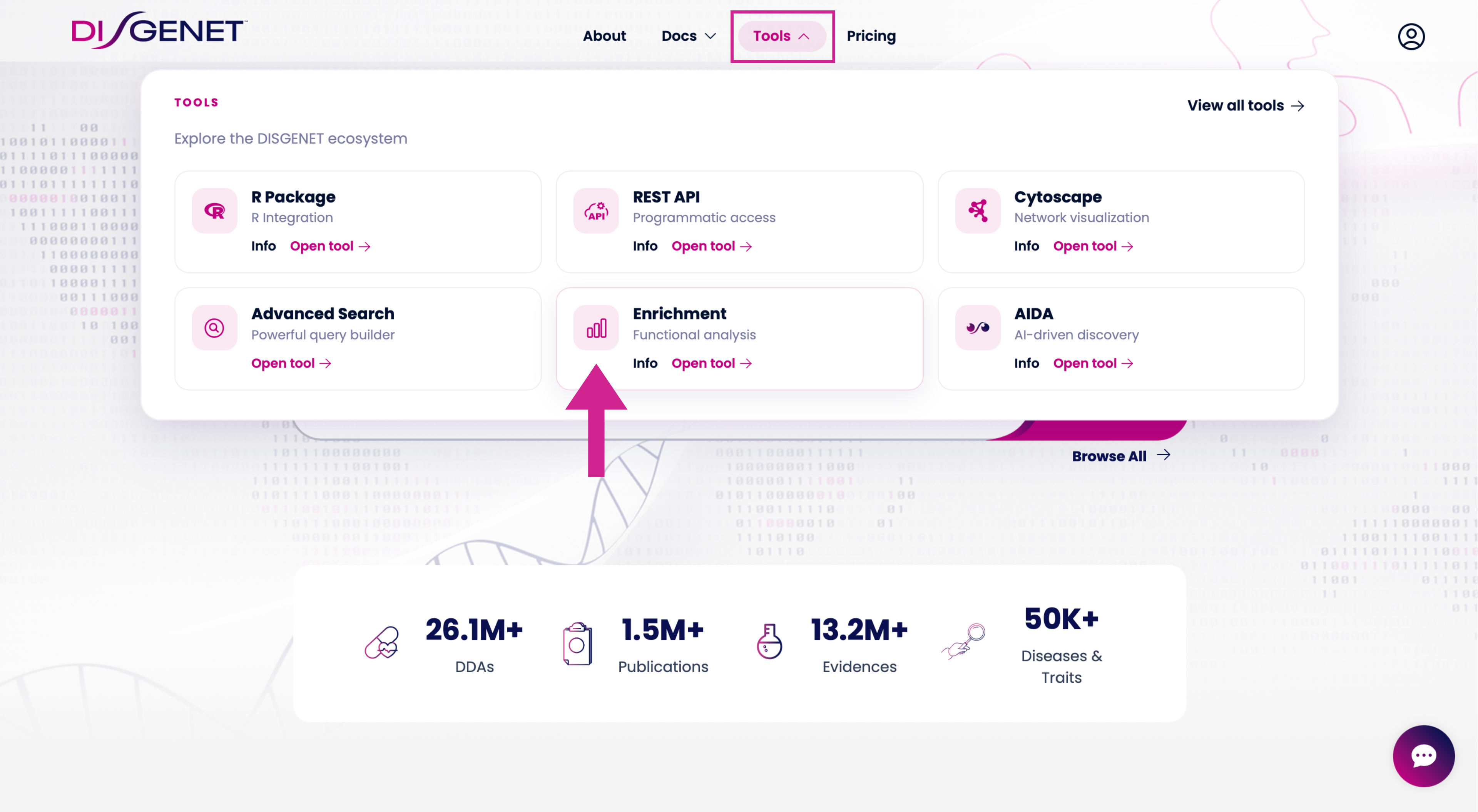
You can access it directly from the DISGENET Home page, using the “Enrichment” button located just above the main search bar.
Or run enrichment directly from the summary table by clicking the actions button and selecting your preferred genes or variants for enrichment.
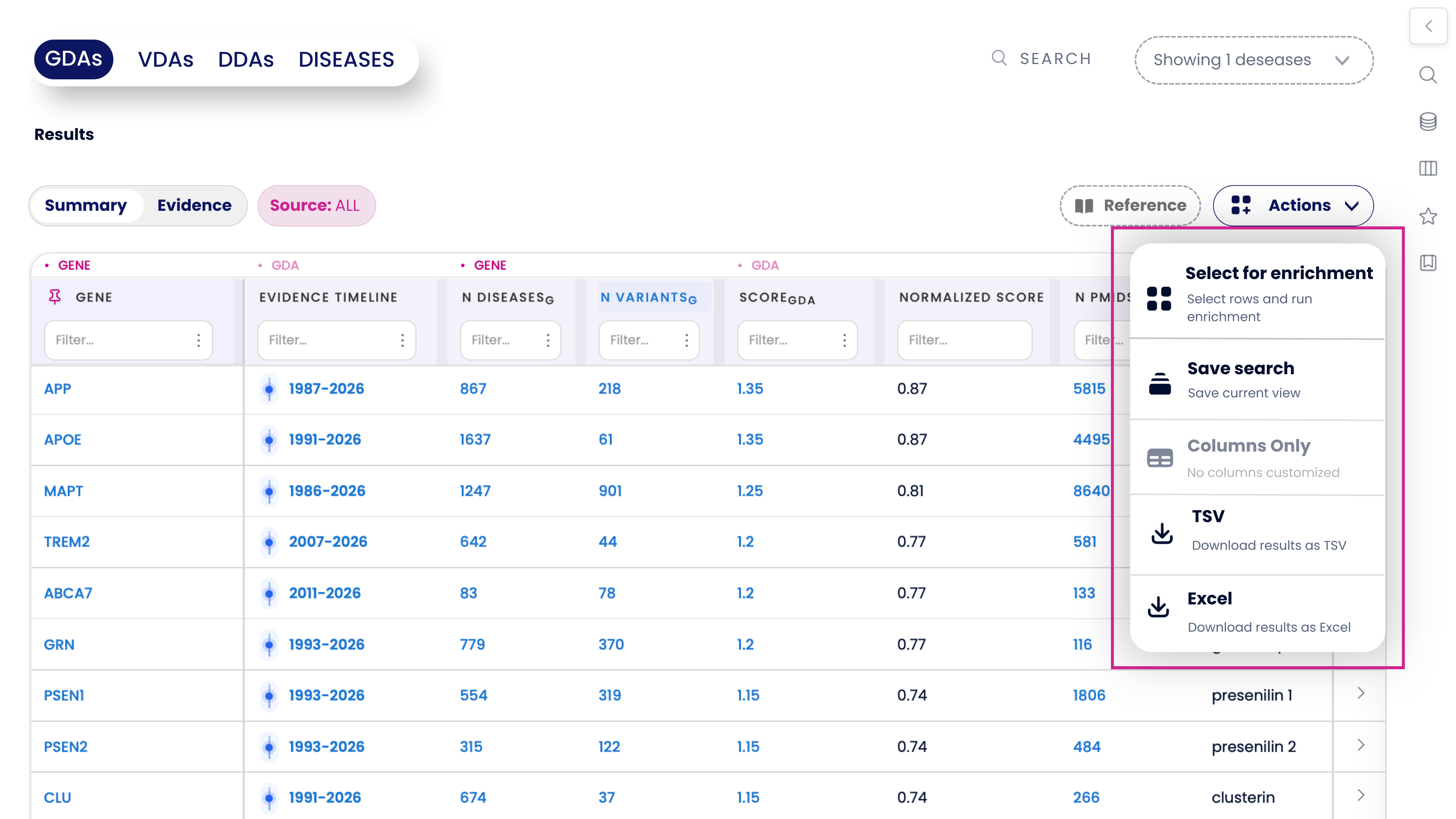 This feature allows you to interpret gene or variant lists in seconds by identifying significantly associated diseases and phenotypes — without any coding or external tools.
How to Run a Disease Enrichment Analysis
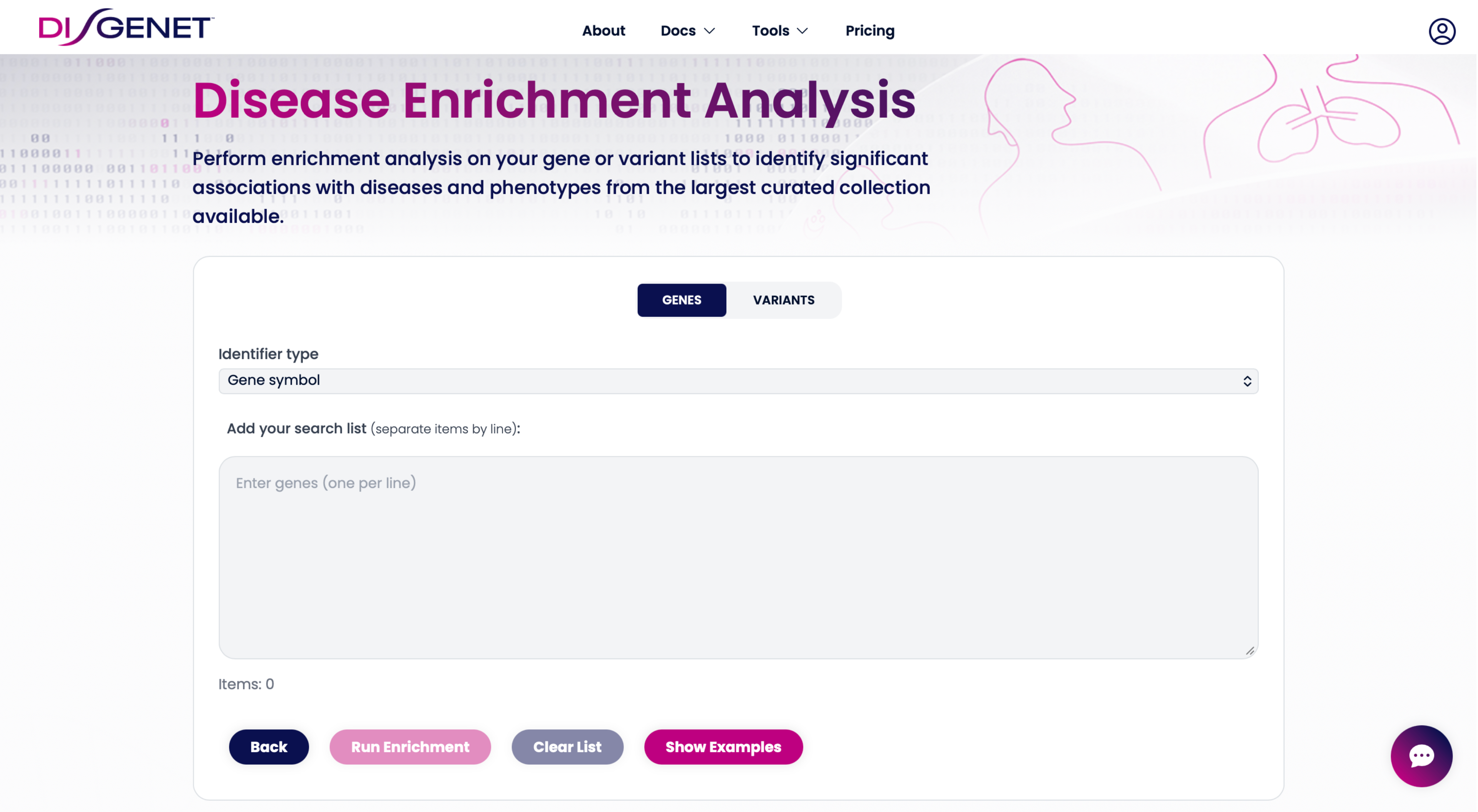
Once you open the tool, you’ll see the input panel where you can paste a list of genes or variants.
Choose Whether You’re Analyzing Genes or Variants
At the top of the Enrichment page, you must select the input type:
• GENES
• VARIANTS
Important:
Gene enrichment supports multiple identifier types (Gene Symbol, Ensembl ID, UniProt ID, NCBI Gene ID).
Variant enrichment supports only one identifier type: rs number (dbSNP ID).
Choose the correct input category before moving to the next step.
Select the Identifier Type (Genes Only)
If you selected GENES, you will see a dropdown list of supported identifiers:
Gene Symbol
Ensembl ID
UniProt ID
NCBI Gene ID
Pick the identifier type that matches your dataset.
If you selected VARIANTS, this step is skipped because only rs numbers are accepted.
Paste your list
Paste your list, one item per line, in the input field
 Example (variants):
rs123
rs345
rs9081
Run the Enrichment Analysis
A window will appear to select the parameters.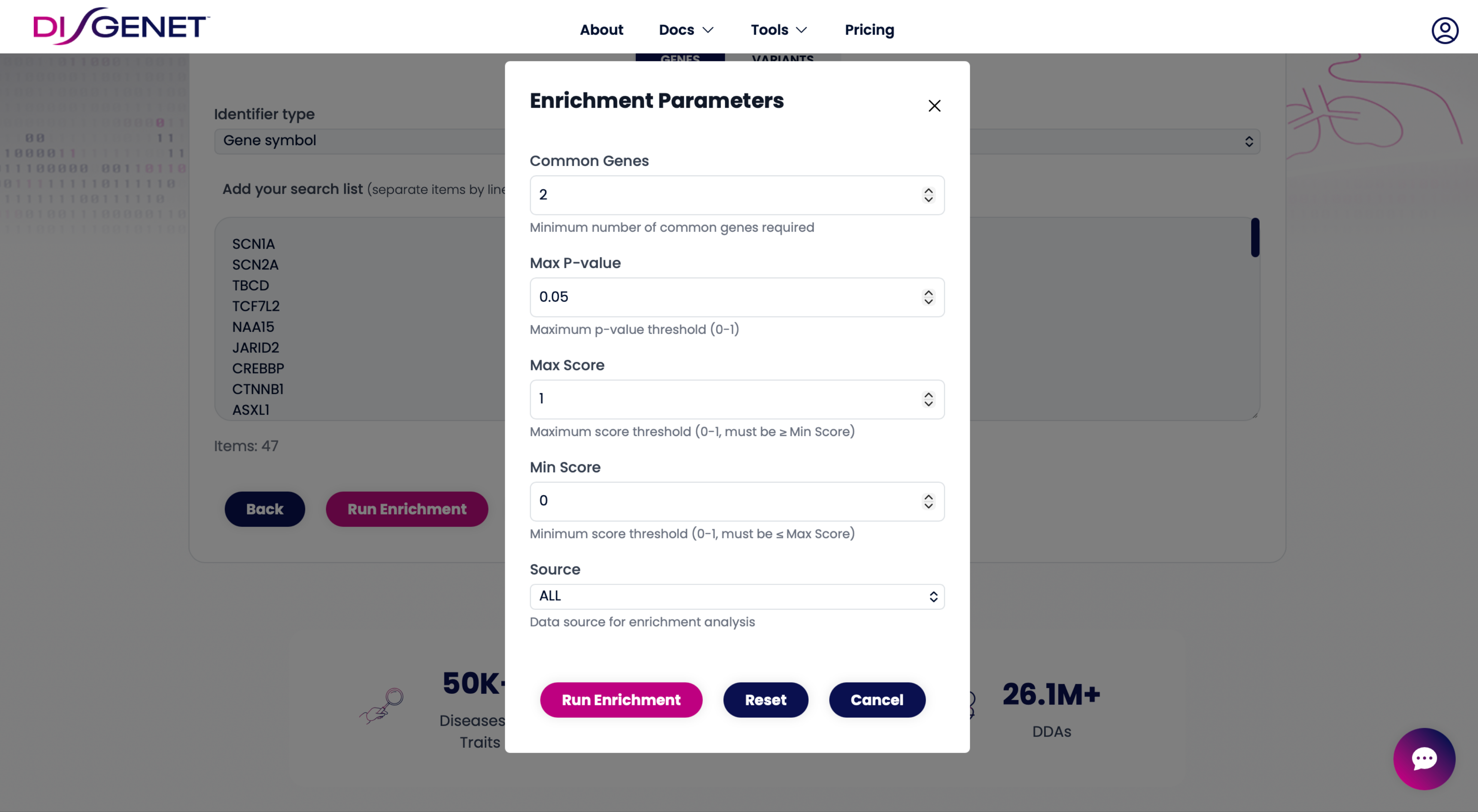
Adjust the parameters and click Run Enrichment.
DISGENET will compute:
Significantly enriched diseases
p-values and enrichment statistics
The intersection between the entities in your list and the enriched diseases
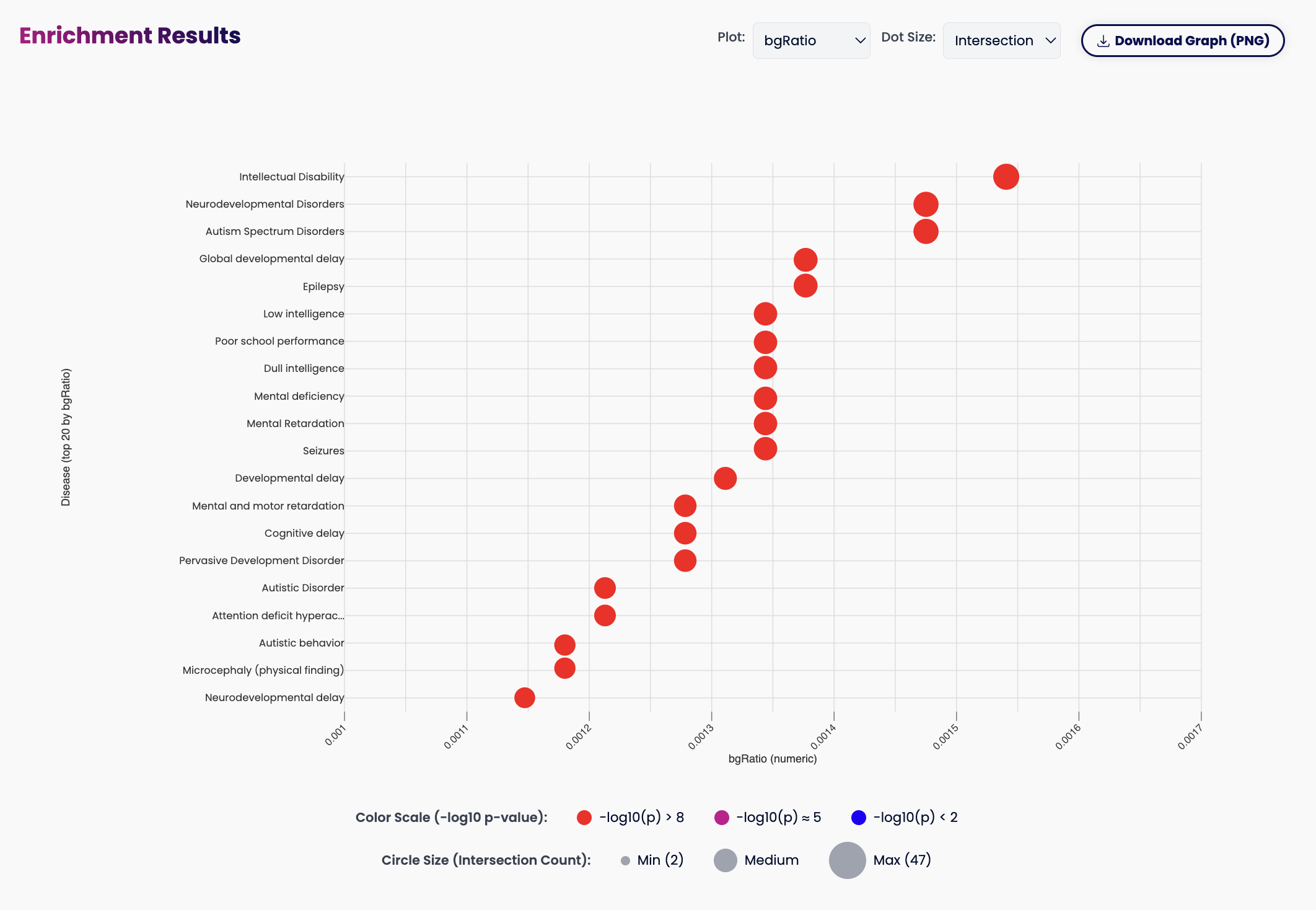
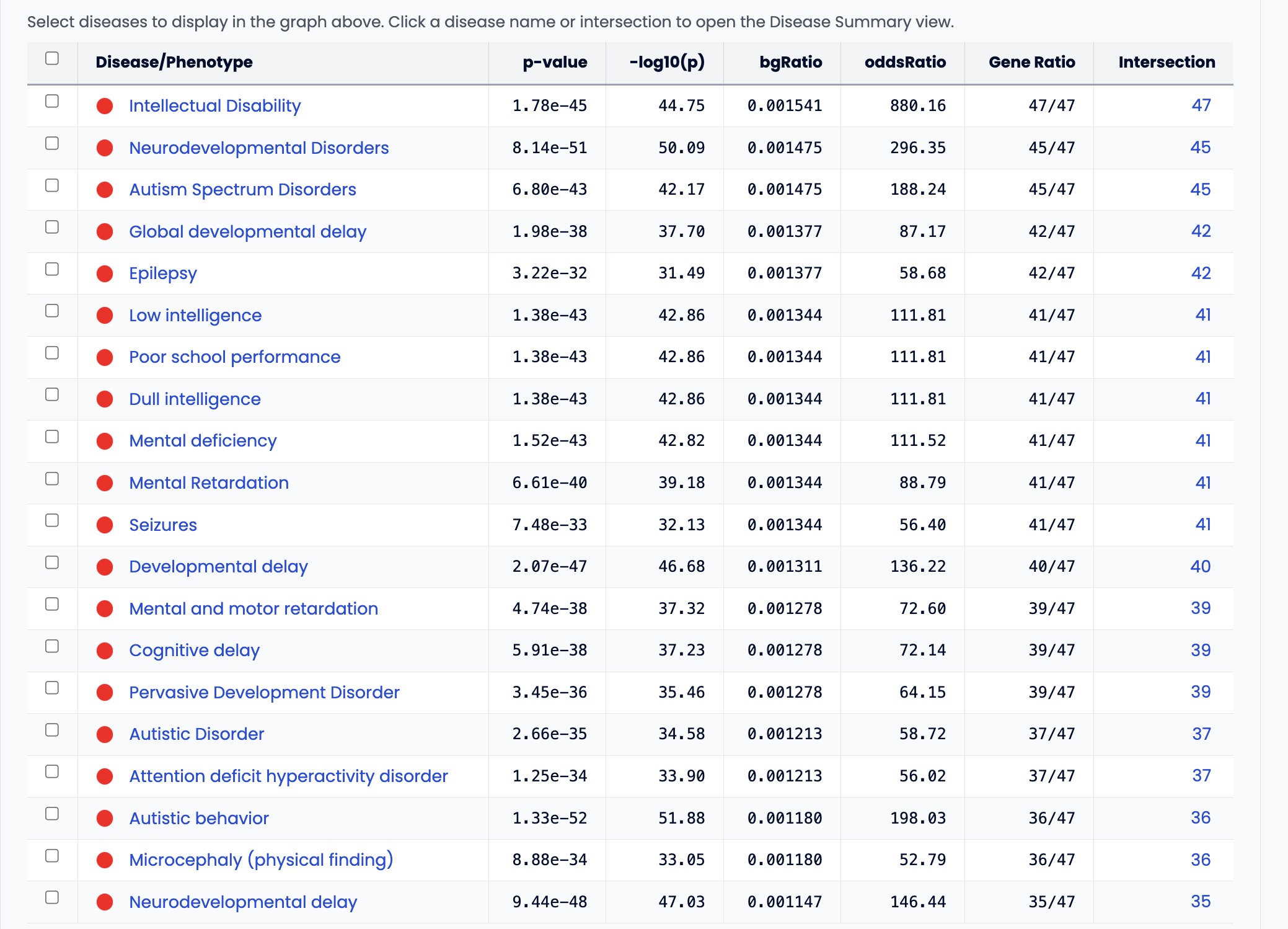
After this, you can download the table and the visualization as PNG
No coding, scripting, or preprocessing needed.
Explore and Export Your Results
After running the analysis, you can:
Review disease associations ranked by significance
Inspect in DISGENET the supporting GDA/VDA evidence
Use findings to validate hypotheses, interpret omics data, or guide target discovery
This tool is especially useful for:
RNA-seq or proteomics hit lists
CRISPR screening output
GWAS variant sets
Patient-derived variant lists
Gene panels and biomarker discovery
Was this article helpful?
That’s Great!
Thank you for your feedback
Sorry! We couldn't be helpful
Thank you for your feedback
Feedback sent
We appreciate your effort and will try to fix the article